
How To Build Backlinks For A New Website
So you have created a new website and is now looking for building some new backlinks for your website.
You might be working on your own website or for a client and stats like DA, PA, keywords are all showing zero but there is a small section lingering on the same tool which is known as backlinks.
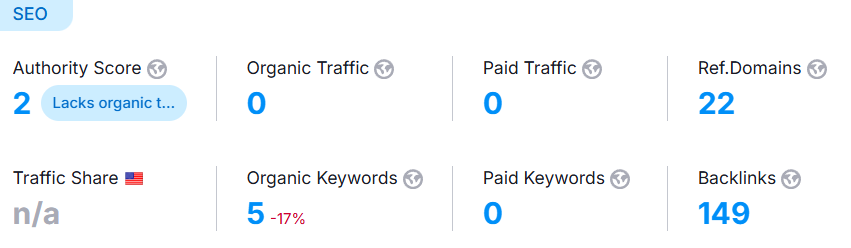
You can think of backlinks as simply a snippet of your website on any other website other than yours and building those links is called link building and every one of those links act as cheerleader for your website in eyes of Google. And the better the source your link is coming from, the better the reception for your website.
And while you can’t get the best backlinks on day one, there are some you can have link back to your website which holds both authority and do follow.
Does Backlinks Matter Specifically for New Websites ?
New website doesn’t have the authority or domain age to command respect in their field and can only and should publish content at steady pace and along with fixing technical aspects, what they can do is start basic link building to get off from the ground.
Although Google used backlinks as a huge ranking factor earlier, it has been toned down as link building has itself became a marketplace and companies now outsource it’s link building to these experts which might not seem a problem at first glance but can be counted as manipulated way to get links and you are gonna witness a lot of these companies in your career where you will encounter companies who boast backlinks in thousand but doesn’t even boast the same metric in impression.
How to Get Links Without Outreach ?
Although this can be a separate blog on it’s own, it doesn’t take a lot to get your first backlinks and it can be done without outreach. Any content which is present outside of your website is technically a backlink for your website but a link won’t count to your authority till it has gotten indexed. And that’s where your aim should be. But before we start building the links, let’s just get some pointers marked which most people miss or even skip.
Pre-Link Building Checklist
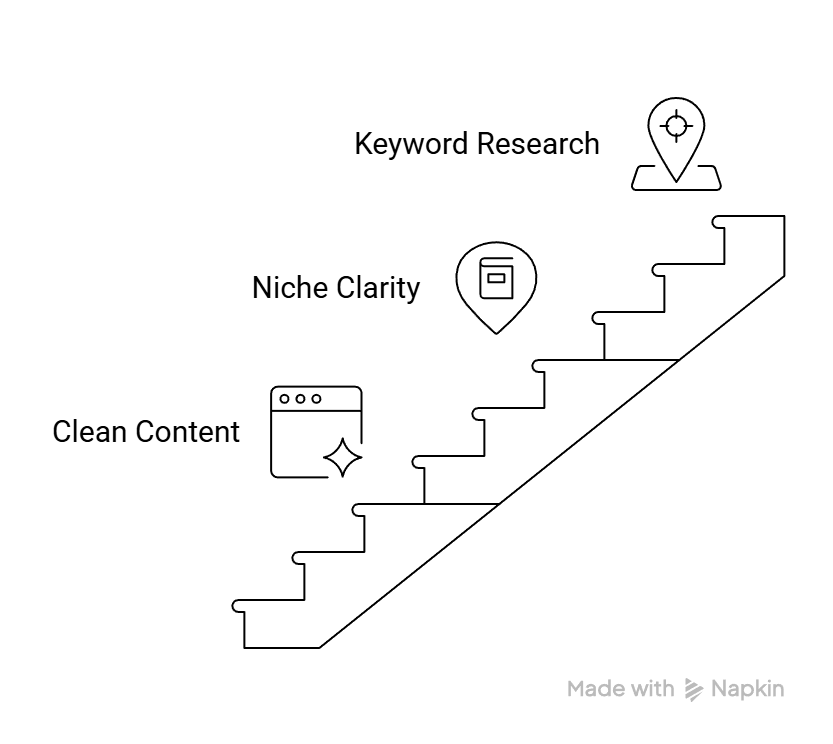
- Make sure the content is clean and perfectly explains the content which the visitor is expecting after clicking on your website.
- Your content has the perfect clarity for the niche it is targetting. Until and unless you are a news or media website, don’t aim for multiple genre and focus on just one or two.
- You have a site structure planned and has a perfect idea of what kind of keyword should redirect to what page, in a nutshell you have done Keyword Research for your website.
Steps To Build Backlink For A New Website
- Make a small about section for your website which encapsulate what you offer, you can use our On-Page SEO prompt to make an about section for your website. It’ll scan your website homepage and get a small summary of your website which you can use in following steps. This section will act as your personal wikipedia anytime you are referenced. Just make sure, you are using the same one everuwhere, If you wanna see a small snippet of what I’m saying, search for “psyden” on Google and then check what I use as my bio.
- Create content like blog, pages or guides or anything which seems natural to you. If you are a makeup artist, create a simple blog about the best kind of makeup you can put on a newlywed bride. Don’t worry about the grammar or how you structure it, just start writing a blog.
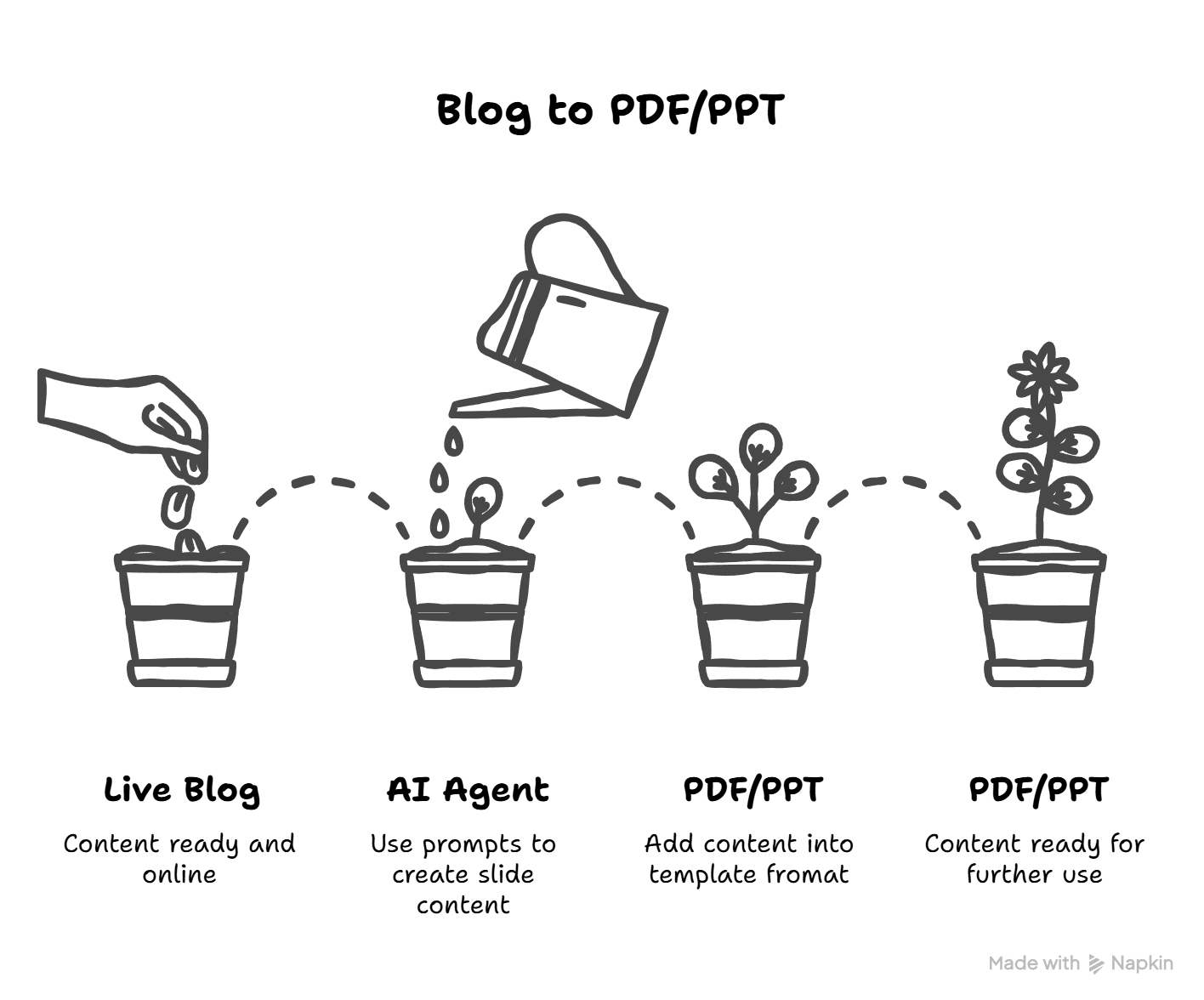
- After your content is ready and live, convert the whole blog into small snippets of different kind. For now let’s focus on just once so let’s start with PDF or PPT, use my off page seo prompts use it to create content through any AI agent for mulitple slides which will give you snippets of the content you made yourself.
- Now use any free tools like Canva and choose a free template you like and goes with your brand. Paste the content according to slide formats, ask the AI to format your content and snippets according to template limitations. After the slide is completed, export the same as either PDF or PPT.
5. Now comes what is called simply OFF-page SEO wherein you will share your content (PDF in this case) on sites which exclusively is looking for good quality slides in extension of either PDF or PPT. Sites like slideserve, slideshare are some of the good pdf submission websites. But before that when you make a profile on same website, use the same we created in step 1. This will come into play a little later when we learn about indexing this content.
6. Now as the content is created and live on the web, you now have a content which is outside of your website and valuable to your user but Google hasn’t got to it yet so it doesn’t make any direct impact other than referral traffic if you are getting any which is highly unlikely. The next step is to get it indexed or at least trying to do the same.
7. Now reverse engineer the content by sharing the link on your own brand ecosystem including your brand handles & your website. We conducted a SEO Experiment some times back when we shared our 9 PDF on our website as blog and we indexed that blog and force google to check the links embeded in it, hence giving it a chance of being indexed. Repeat this process for multiple of your blog.
What Not To Do (Critical for New Sites)
- Avoid making low quality content, the thumn rule is If you come across such content in your feed, will you read it ot not ?
- Avoid using the same description even if the pdf/ppt is same. Use different caption for diffferent websites. Treat even your off page handles as your own property.
- Don’t over-optimise for anchors in your content, it should natural fall into the context of the sentence, that’s it.